Macometr
Understand your Mac's everyday workload.
A calm menu bar monitor with a local Usage History report. See CPU, GPU and memory now, then look back at up to 30 days of recorded activity.
Coming soon to the Mac App StoreOne purchase. Full app. No subscription. No account or tracking. For Mac computers with Apple silicon and macOS 26 or later.
Scroll sideways for more screenshots. History images use example data.
Live readings, kept simple
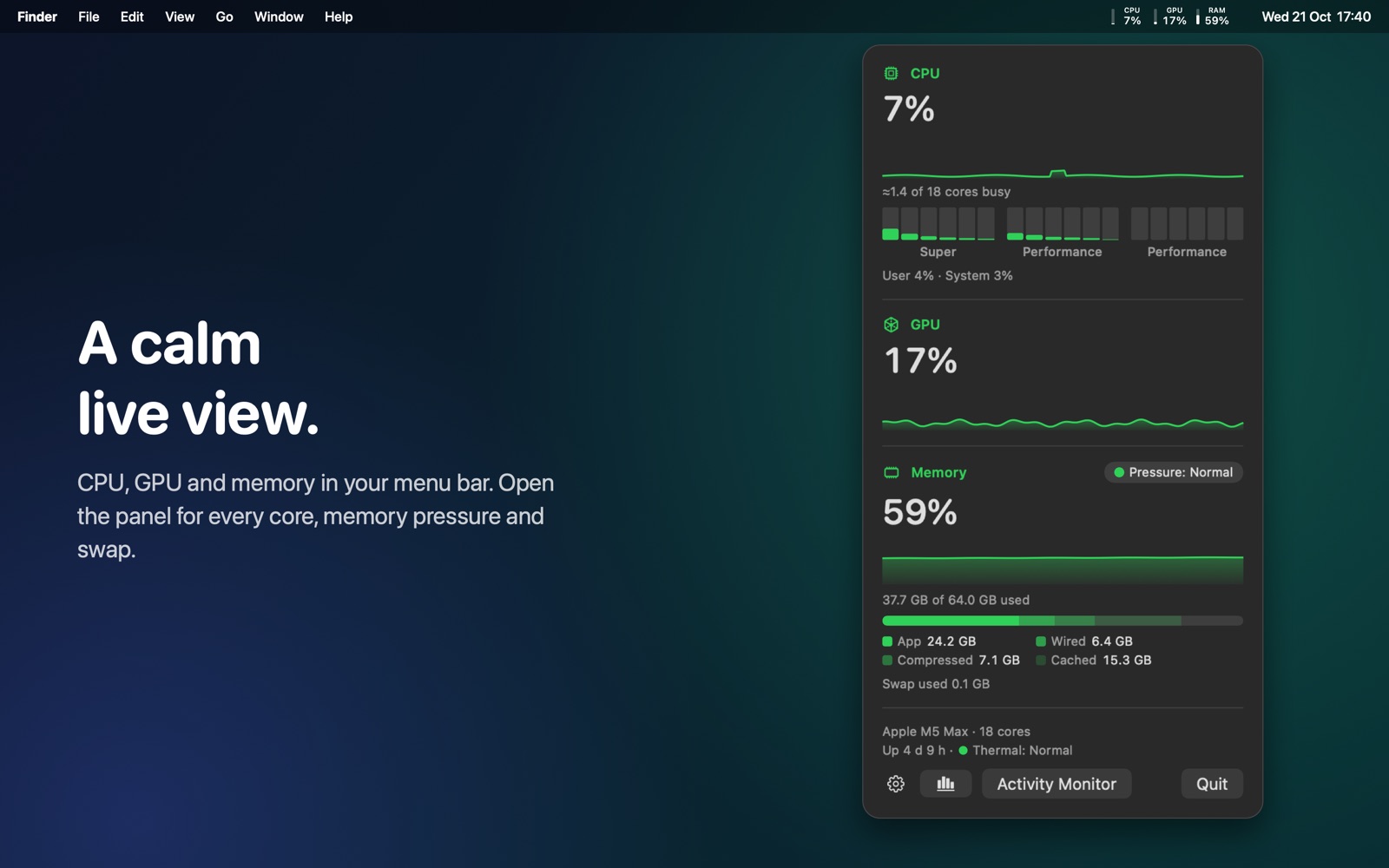
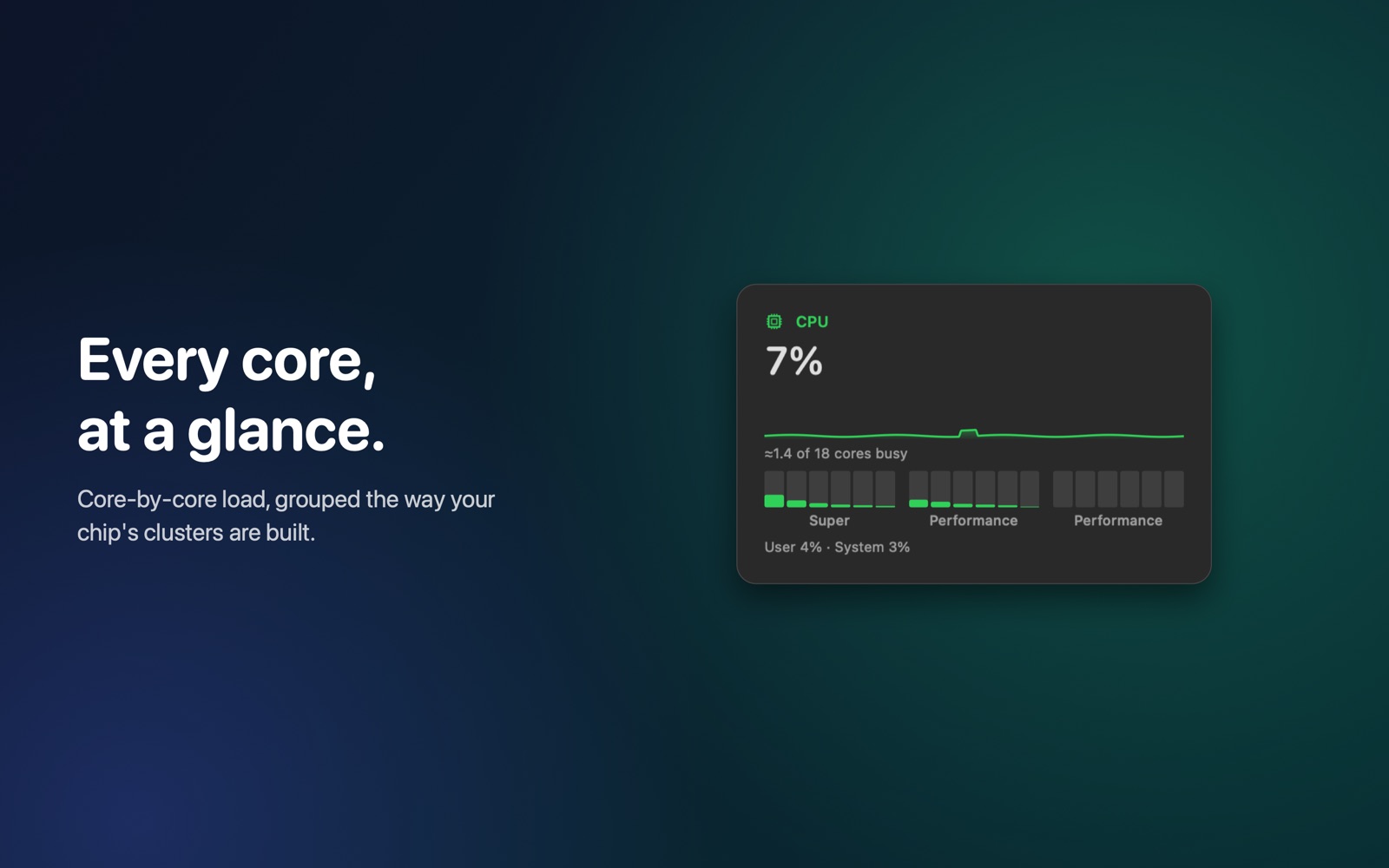
CPU, GPU and memory sit in your menu bar. Open the panel for per-core CPU detail, memory pressure, compression and swap. Sustained-load colors help you notice when your Mac has been working hard for a while.
Look back at your workload
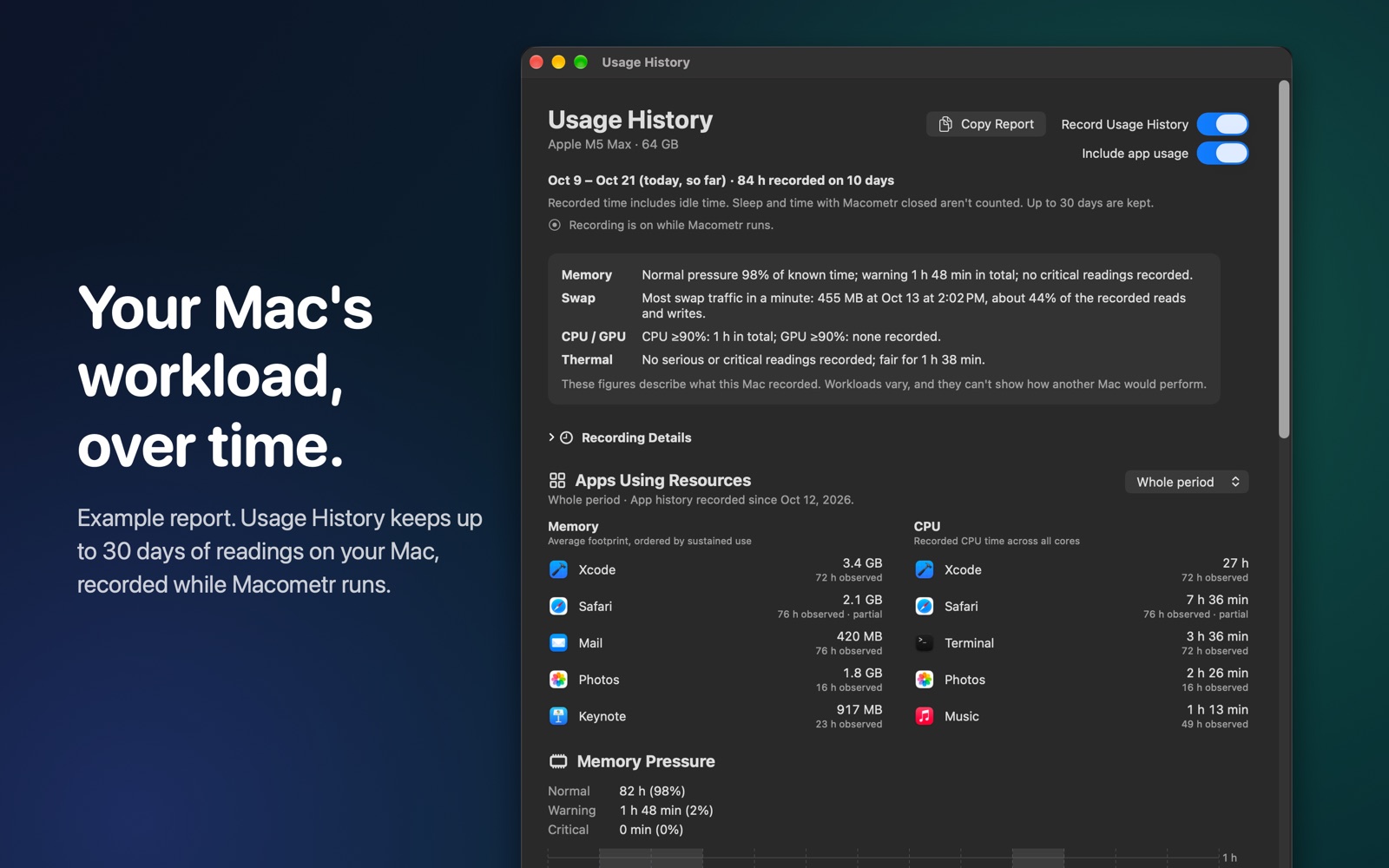
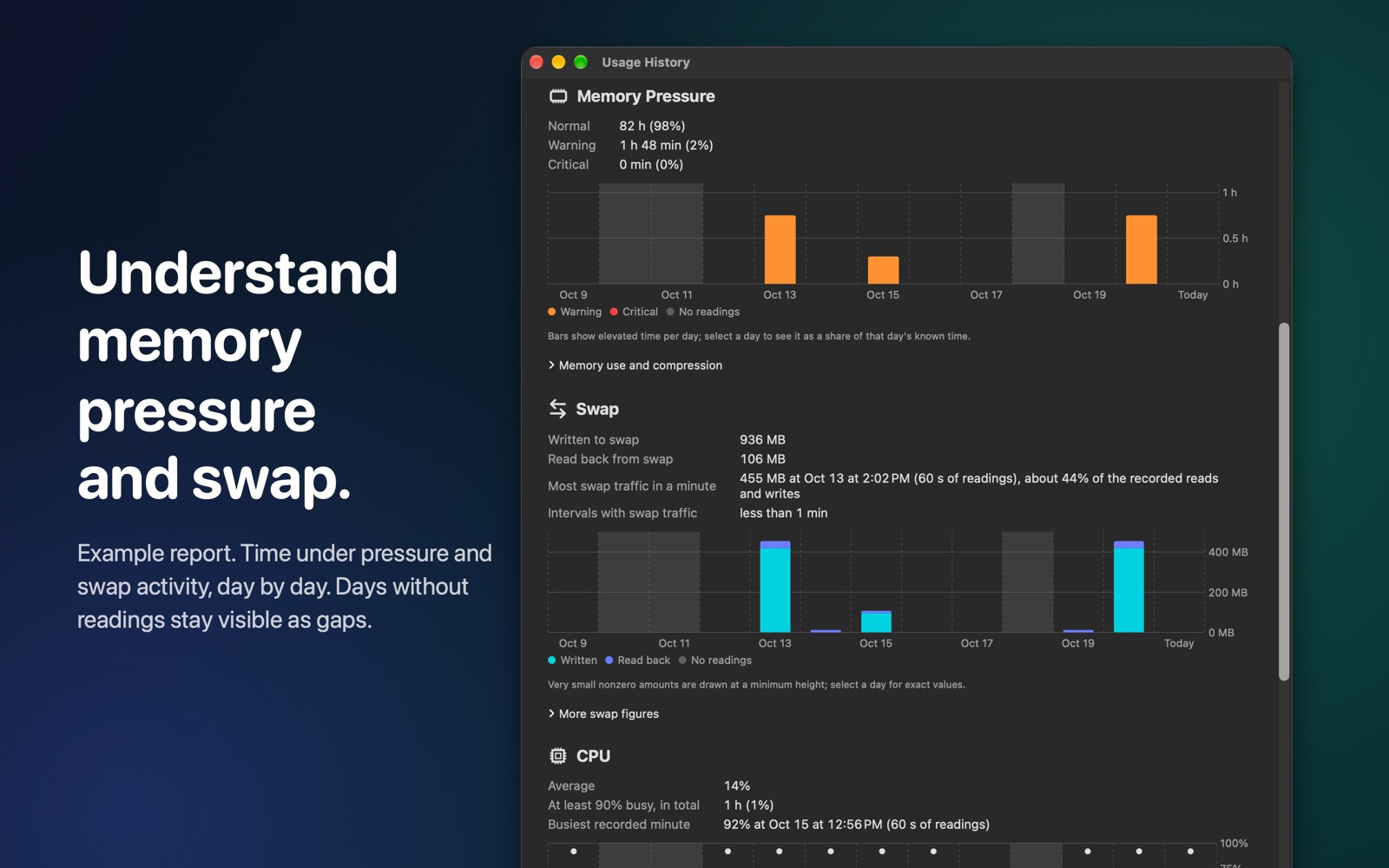
Usage History keeps up to 30 local calendar days of readings while Macometr runs. Review memory pressure, swap activity, CPU and GPU load and thermal state by day. Recorded time and gaps show how much evidence a report contains.
See which apps used resources
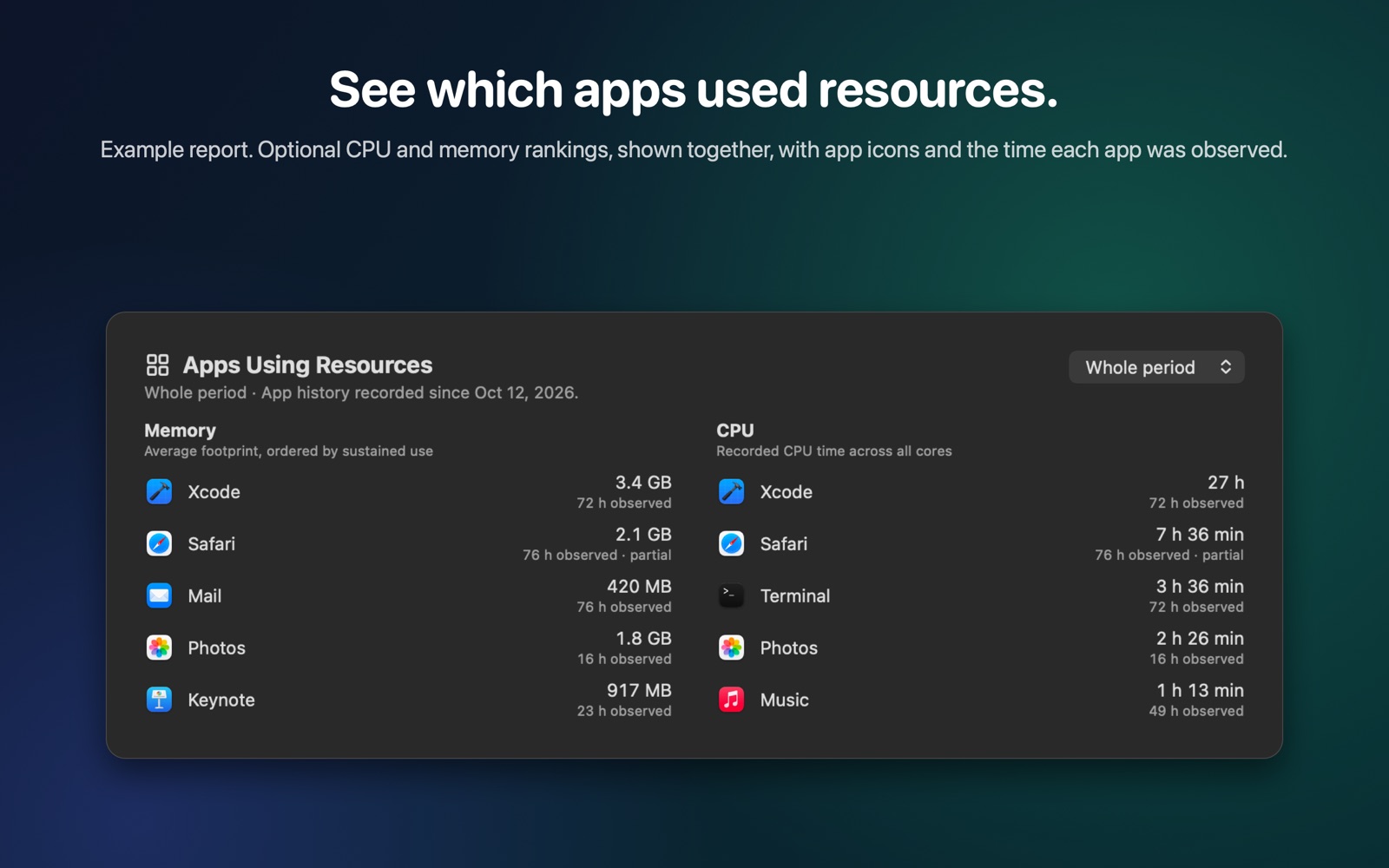
Turn on optional app usage recording to see the leading apps for CPU time and for memory. Both lists appear together, with app icons and observed time. Review the whole recorded period or a selected day.
Numbers you can interpret
Memory is ranked by footprint over time, so an app using a moderate amount for hours can rank above a brief spike; the value shown is its average while observed. CPU time adds work across cores. A busy reading may simply mean useful work.
Kept on your Mac
No account, ads, tracking or network access. Pause recording or delete the history in the app. Copy a report when you choose; app names stay out unless you explicitly include them.
Starts fresh, grows with you
A new installation begins with an empty history. The report fills in from real observations while Macometr runs; it never fills in time when your Mac was asleep or the app was closed.
Good to know
App history covers CPU and memory, not GPU use by app. Missing or partial observations are shown as such. These readings describe this Mac's recorded workload; they don't benchmark or predict another computer's performance.
Made by an enthusiast, for enthusiasts.
One purchase includes the full app. Regional prices are shown on the Mac App Store.